What it is
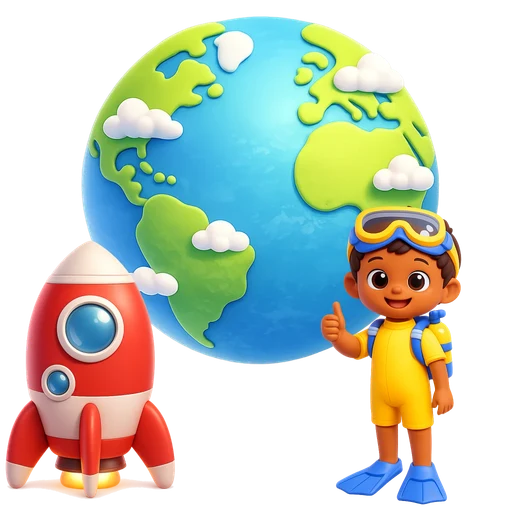
Make a World is a picture maker for children who like to invent. First they make a character of their own: a girl or a boy, one of seven hairstyles, twenty outfits from jeans and pyjamas to a mermaid tail or a space suit, the colour of their skin, hair, top, bottoms and shoes, and extras like glasses, a crown, a bow or a top hat. Then they pick a world. There are six: under the sea, space, an enchanted forest, the savanna, a city and the desert, each with two backdrops to choose from. Every world has twenty characters, from mermaids and divers to astronauts, aliens, fairies, explorers, firefighters, cowboys and cowgirls, and about thirty things to put in it: a shipwreck, a rocket, a mushroom house, a giraffe, a fire engine, a pyramid. Drag anything in and put it anywhere. Things further back are drawn smaller, so the picture has depth, and things nearer the front stand in front. Make a thing bigger or smaller, turn it round, or put it in front of or behind something else. Tap a character twice and it says hello with a happy picture in a speech bubble; things wiggle, hop or spin. When the scene is finished it can be saved as a picture, or printed as a colouring page of the same scene, every character and thing drawn as black lines to colour in with real crayons. There is no score, no timer and nothing to unlock: every world and every outfit is there from the start.
How to play
On a laptop or desktop
Drag a character or a thing up from the bottom into the world, or click it to drop it in. Click something in the world to pick it, then use the buttons above it: Smaller, Bigger, Turn, Front, Back or Away. The mouse wheel also makes it bigger or smaller, and Ctrl+Z undoes. Drag it back down to the bottom to put it away.
On a tablet or phone
Drag a character or a thing up from the bottom into the world, or tap it to drop it in. Tap something in the world to pick it, then use the buttons above it, or pinch with two fingers to make it bigger or smaller. Tap it again to see it do something. Drag it back down to the bottom to put it away.
What children learn
- Imagination and storytelling: a world full of characters invites the question "what happens next?"
- Words for places, jobs, animals and things: a shipwreck, an astronaut, a savanna, a canyon, a firefighter
- Seeing themselves: a character of their own, with their own skin, hair and favourite clothes, to put into every world
- Planning and space: near and far, in front and behind, big and small
- Fine motor skills, then and away from the screen: dragging and pinching, then colouring in the printed page
Tips for parents
Ask about the picture rather than praising it: "Who lives here? What is the astronaut going to do?" Write down the story your child tells and keep it with the printed colouring page. Make characters for the whole family and put everyone in one world. A printed page is a good way to end screen time: the story carries on at the table with crayons.
Questions parents ask
Is there a goal or a score?
No. Make a World is open-ended: there is no score, no timer and nothing to unlock. Every world, character, thing and outfit is there from the start.
How does the colouring page work?
Every picture in the game has a colouring-book twin drawn in black lines. Tap the crayon and the game draws the same scene in lines, as a landscape page. On a computer, press Print. On a phone or tablet, tap Share and choose Print, or Save Image to print it later.
Can my child make a character that looks like them?
Yes. They choose a girl or a boy, a hairstyle, an outfit and the colour of their skin, hair and each piece of clothing, and add extras like glasses or a crown. Up to twelve characters can be made, and they can be put into every world.
Are the scenes saved?
Yes, on your device: the characters your child made and several scenes for every world. Nothing is sent anywhere and no account is needed.