Press any key or tap the screen, emojis pop up with fun sounds and colors!
What they learn: Cause-and-effect thinking, fine motor skills, and sensory exploration. Every keypress gets a response, teaching little ones that their actions make things happen.
Tap or press any key to kick a ball around a pitch full of emoji animals. Knock them into spins and squashes, or score past the animal goalkeepers for a big GOAL! party.
What they learn: Cause and effect, aiming at a target, and spatial awareness. Every tap starts a chain reaction, and a goal gives the aiming a reason.
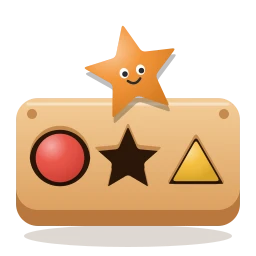
A wooden toy box with cut-out holes. Drag each chunky shape to the hole that matches it and hear it plonk in. It starts with one big circle and grows to stars, hexagons and look-alikes.
What they learn: Shape names, matching outlines and early spatial reasoning. More holes and trickier shapes join as your child gets the hang of it.
Pick a friend, then tap pictures in the wardrobe to try on hats, glasses, clothes, shoes and toys. Tap a paint pot to recolor, the music button to dance, and the camera for a photo.
What they learn: Creativity and making choices, clothing and color words, and cause and effect. There are no wrong answers: every tap makes something new.
Tap to flip back
New
Chalk Art
2 – 8 years
Draw with chalk on a blackboard or the playground!
Pick a chalk from the tin and draw anything. Rainbow, glow and sparkle chalk, a rain shower to wash it away, and dotted shapes and letters to trace.
What they learn: Fine motor control, early writing and creativity. Tracing shapes, letters and numbers builds the hand movements children need for writing.
Litter lands in the park. Drag each piece to the bin that eats it: food scraps, paper, plastic and cans or glass. Every right answer brings the place back to life.
What they learn: Sorting and classifying, the basics of recycling, and caring for the places we share. More bins join as your child gets the hang of it.
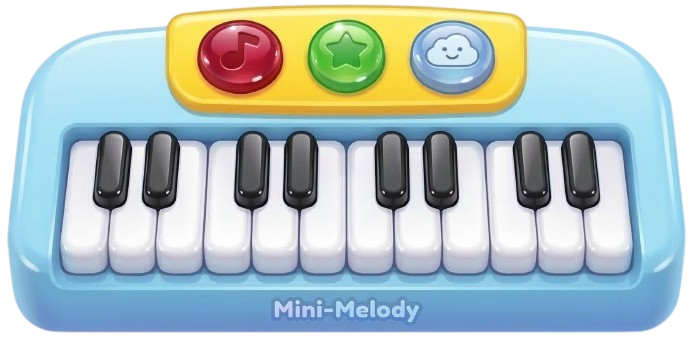
Play 8 colorful piano keys freely, or follow a friendly teacher to learn real melodies!
What they learn: Musical ear training, pattern recognition, and sequential memory. Kids develop rhythm and build confidence by mastering melodies step by step.
Use the arrow keys, or touch the left and right of the screen, to steer through space. Boost to fly faster, collect stars, and dodge asteroids!
What they learn: Spatial reasoning, reaction time, and directional control. Kids master momentum-based movement and learn to plan ahead while navigating obstacles.
It's Festival of Kindness day! Walk around a cozy emoji village, collect gifts from friends, and deliver them across town.
What they learn: Spatial awareness, navigation, and following instructions. Kids explore freely, collecting and delivering items to complete the festival.
Ten levels of counting, adding, taking away, times tables and sharing with picture hints. Then 20 ninja tricks: watch one, try it with help, then go solo.
What they learn: Number sense, place value, and real mental-arithmetic strategies like making tens, rounding and compensating, doubling and halving. No wrong-answer game over, just another go.
Tap to flip back
Keep it free
For grown-ups
No ads, no paywall, ever. A gift from one parent to another.
Yes. Every game is free with no paywall, no premium tier and no in-app purchases. Parents who want to can leave a tip.
Are there ads?
No ads anywhere, and no third-party ad or tracking scripts. A toddler can't tell an ad from a game, so there are none.
Do I need an account?
No. Nothing to sign up for. Best scores and progress are saved on your own device.
Which ages is it for?
From about 6 months (Kaboom Keys, where any key press pops an emoji) to 10 years (Math Ninja's mental-math tricks). Each game card shows its age range.
Does it work on a tablet or phone?
Yes, with touch. Add it to your home screen for a full-screen experience, and the games keep working with a patchy connection once loaded.
Is it safe for my toddler to mash the keyboard?
Yes. While a game is open it captures every key, so nothing else on the computer is affected. Parents can still use shortcuts like Cmd+R.
Tiny Hands Play started when my toddler discovered my computer keyboard and urgently needed to press every key. The first game I built, Kaboom Keys, was a safe way to let her mash the keyboard without wrecking my work.
Seeing how much she loved it, I went looking for other games we could play together, but I quickly realised that most were either paid, packed with ads, or just not quite right for my little one. So I created Tiny Hands Play: a collection of playful, educational games with no ads, no paywall, and no sign-up.
I hope it gives you a few minutes of peace. You can add it to your tablet/phone home screen for a full-screen experience that works even without internet (perfect for plane rides or car trips) or simply bookmark it in your browser.
If you'd like to help me keep it running, feel free to share it with other parents or buy me a coffee.
 Back to playing!
 Hope you both had fun!
 Buy me a coffee





 What they learn: Cause-and-effect thinking, fine motor skills, and sensory exploration. Every keypress gets a response, teaching little ones that their actions make things happen.





 0
0